
Live transcription
Every word as it’s said, speaker by speaker. Hontoni detects the language and keeps each person’s words together.
Hontoni transcribes and translates conversations live, in meetings, at talks, on the road and in videos, so everyone can follow along in their own language.


No card needed. Guests can try 10 minutes.
An example of the live reader: a talk given in French, read in English.
Good morning, everyone, and thank you all for coming. (Bonjour à tous, merci d’être venus si nombreux.)
Today we are launching the programme in twelve cities. (Aujourd’hui, nous lançons le programme dans douze villes.)
Every session will be open to everyone, in their own language. (Chaque séance sera ouverte à tous, chacun dans sa langue.)
Follow the conversation in your language, as the words are spoken.
What Hontoni does
Captions, translation and a voice from the same conversation, as it happens.
Every word as it’s said, speaker by speaker. Hontoni detects the language and keeps each person’s words together.
Each line is translated as it arrives, into the language you read, with the original close by.
A voice reads the translation in your earphones or through the speaker, while the captions carry on.

The original and the translation line up, speaker by speaker. Follow a talk, a YouTube video or a lesson and see what was said in both languages.
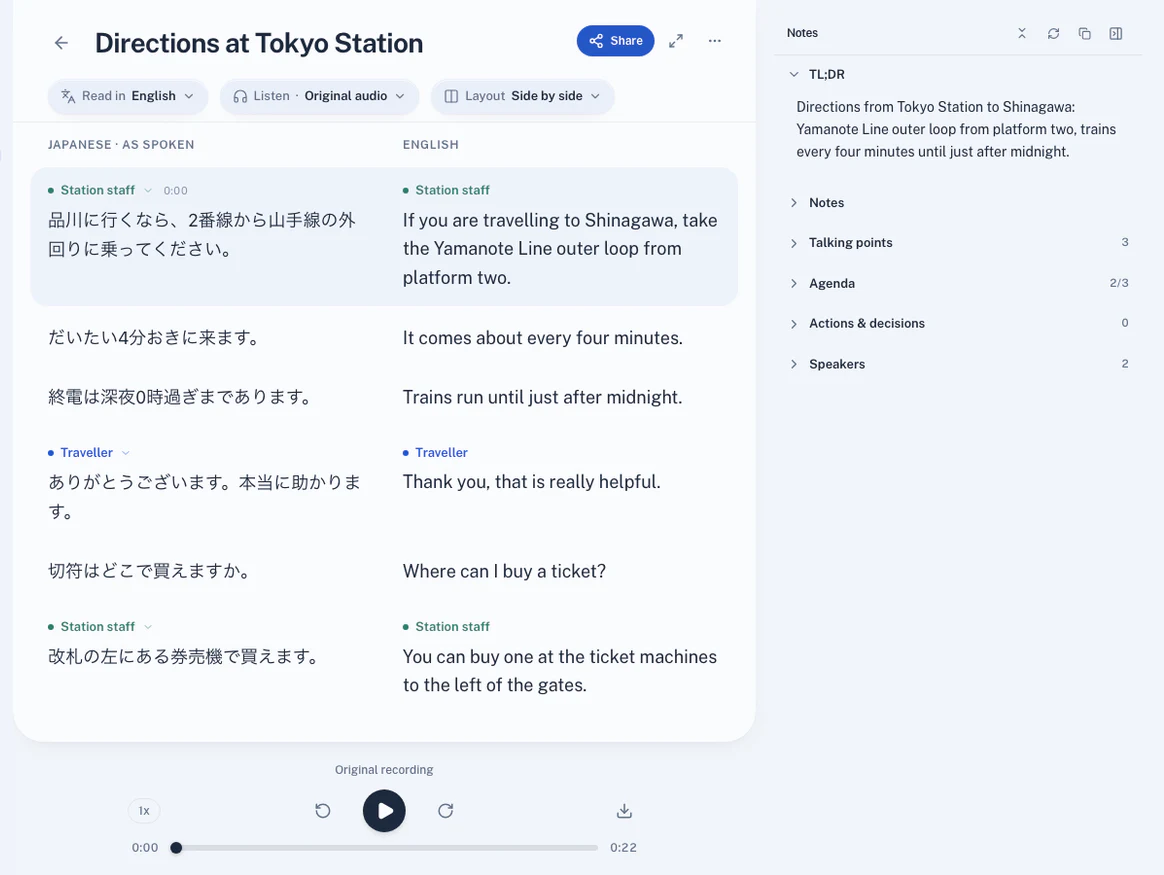
We could get started next week.
That works. What do we need to prepare?
Let’s start with a small trial.
Thank you for travelling on the Toei Mita Line today. (本日も都営三田線をご利用いただき、ありがとうございます。)
The next station is Mita. Change here for the JR Yamanote Line. (次は三田です。JR山手線はお乗り換えです。)
Excuse me, is this where we change for Shinagawa? (すみません、品川へはここで乗り換えですか?)
Yes. Take the Yamanote Line outer loop from platform two. (はい、2番線から山手線外回りにお乗りください。)
Made for where you are
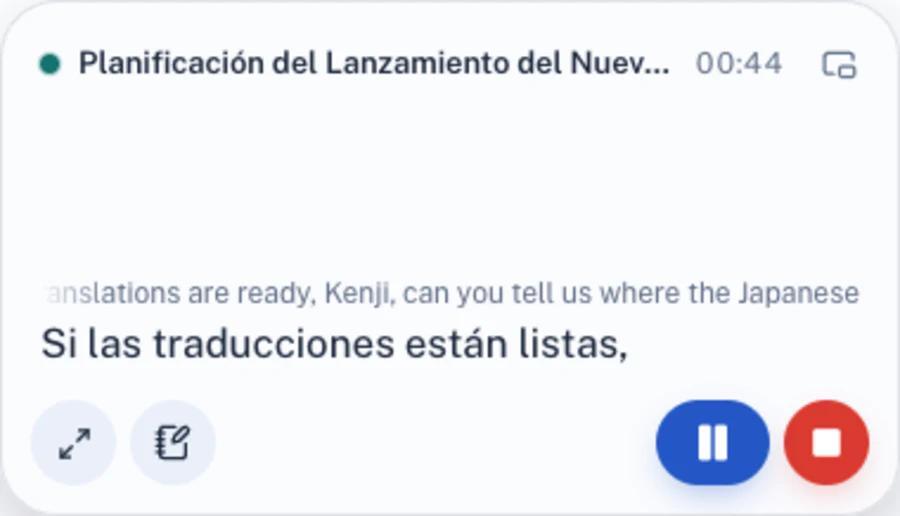
Keep the captions on top of the tab you’re working in, with Pause and End to hand.
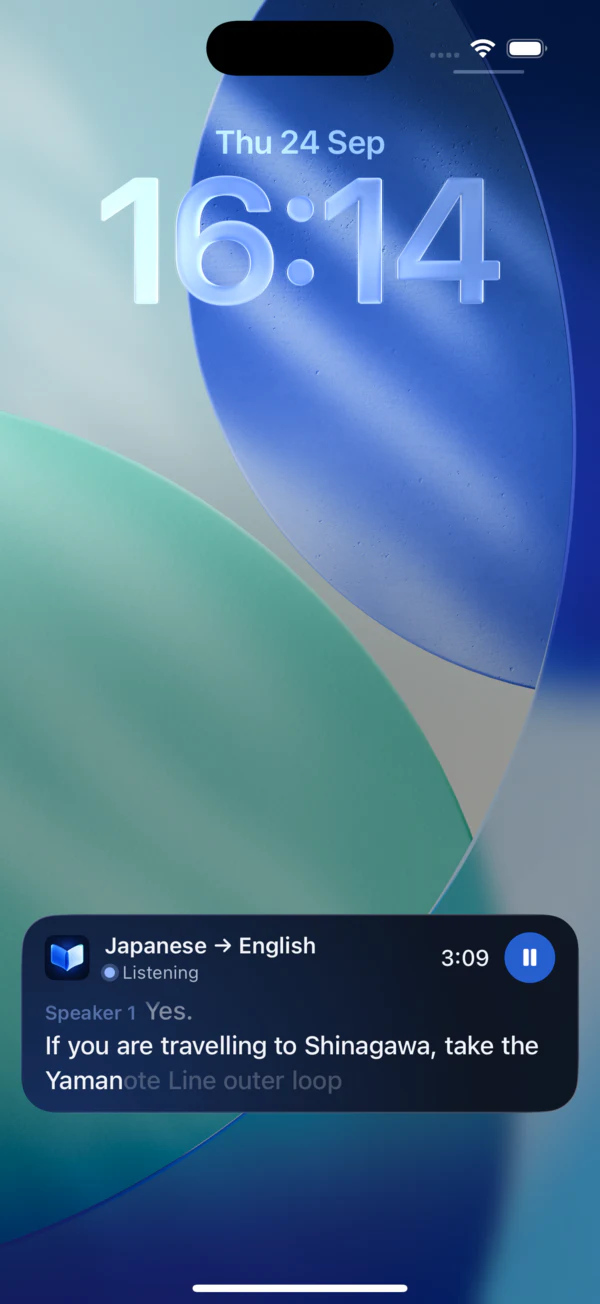
The latest words and the language pair without unlocking: in the Dynamic Island and StandBy on iPhone, and on the lock screen on Android.
Open it like a book and watch the video on one side while every word arrives on the other. Stand it up as a tent and the room reads along.
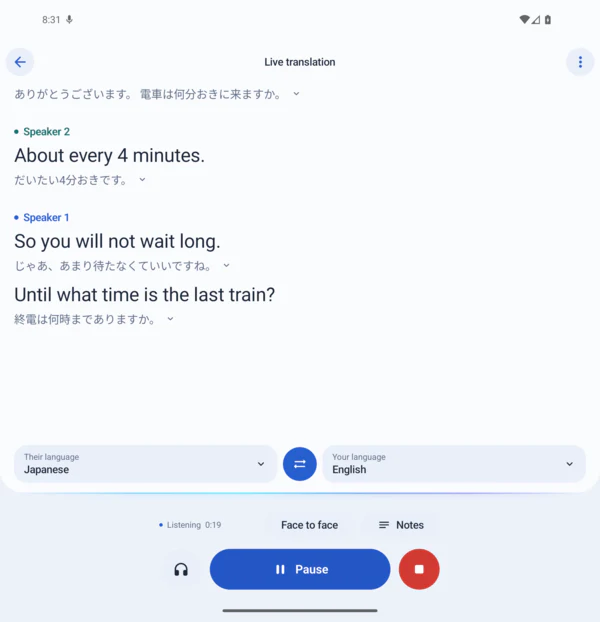
The same reader on phones, foldables and the web. Here on an Android foldable, with Face to face and Notes one tap away.
Use cases
In a meeting, from a seat in the audience, on the road or around the kitchen table.

A summary and action items written beside the transcript while you talk.

Read the speaker live, or hear them in your language through your earphones.

Lay your phone on the table and talk face to face, each in your own language.

Follow a lecture as it happens and keep the transcript to study later.

Talk across languages at home, both ways, without passing a phone back and forth.

Add a YouTube link, a video or a voice note. Read it and listen in your language.
The people in these pictures are illustrations, not Hontoni users.
Every screen
Signed in, a conversation you start on your phone is live in your account. Follow it on your laptop, or share it with the room.
Tap Listen on your iPhone or Android phone.
hontoni.app shows the conversation as Live now; open it and the words arrive as they’re said.
Share a link or show the QR code, and choose who can follow.
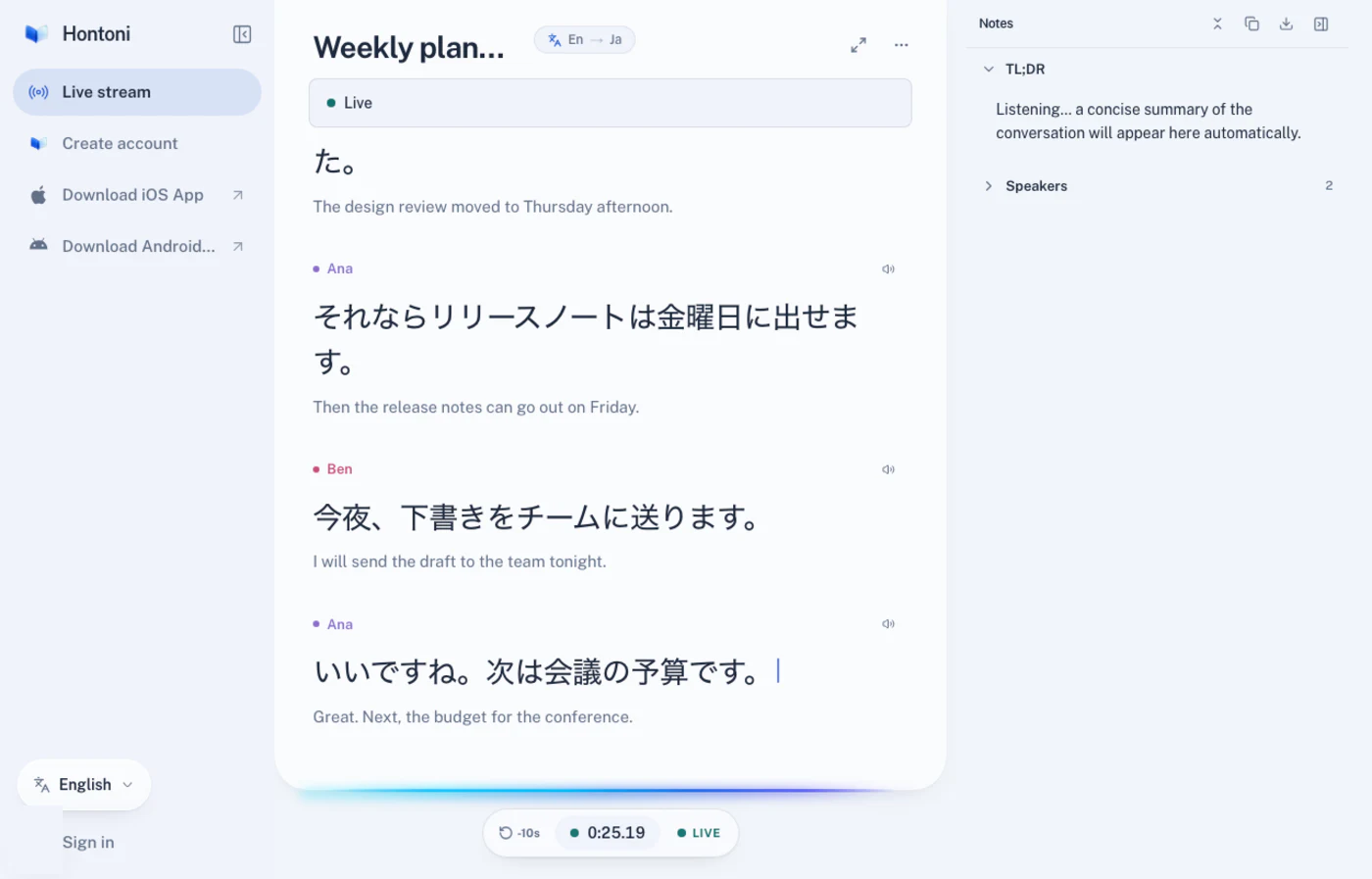
Meetings at work
While the meeting runs, Hontoni keeps a summary, action items and decisions beside the transcript, ready to copy and share.
Summary
The launch moves to March if the budget closes today.
Action items
Decisions
Keep the Osaka venue for the launch.
Travel
Ask for directions, order dinner or meet family. Each of you reads the other, in your own language.
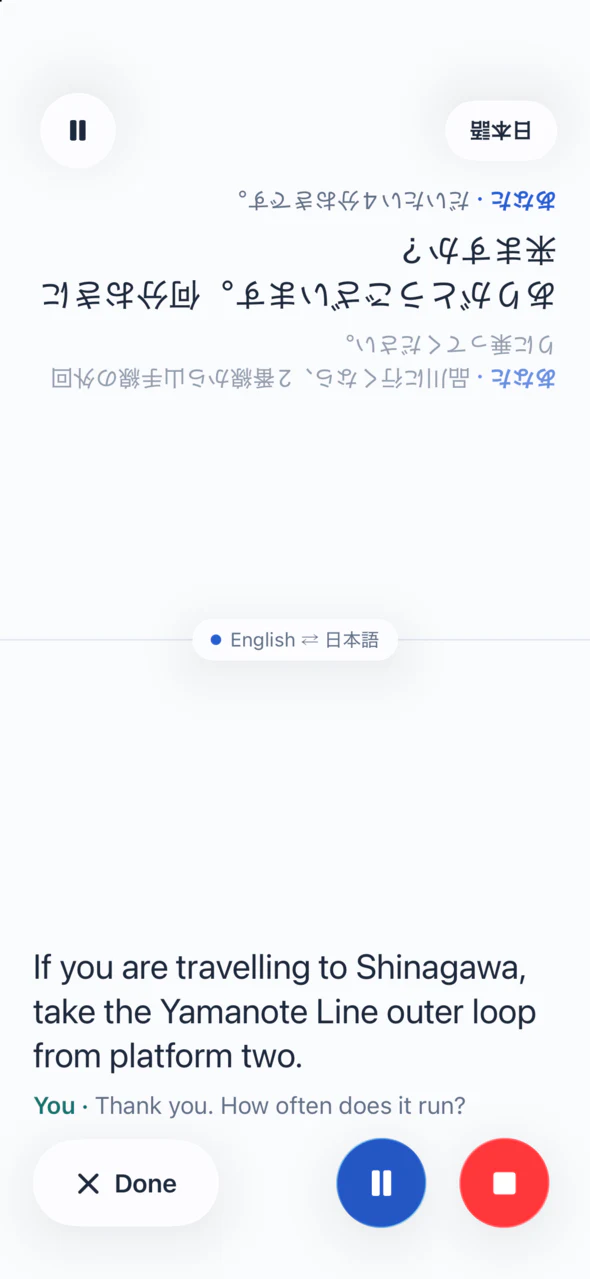
Lay your phone on the table. Their half faces them in their language; yours faces you in yours. Tap Done to go back to the reader.
Platforms
Start on your phone, follow on your laptop, and pick up on any device.
Live captions on the Lock Screen, in the Dynamic Island and in StandBy. Start listening from Control Center, the Action button or Siri.
The same reader, with Both ways, Face to face and captions on the lock screen while you listen.
Sign in at hontoni.app to start a conversation in any browser, add a recording, or follow one live.
Sign in once. Your conversations follow you, and you can follow a live one from another device.
How it works
Pick the language you read in. Hontoni detects the language being spoken, or you can choose it.
Hontoni starts writing from the first word. Pause any time, and end the conversation when you’re done.
Follow along, hear it in your earphones, then keep the transcript and notes, or share them.
Languages
Hontoni hears 60 languages, detects which one is spoken, and translates into any of them. The app and this site speak 20.
Privacy
The microphone is used only while a conversation is running. What’s said goes to a speech recognition service to become text.
As a guest, conversations stay on your phone. Signed in, they’re kept in your account. Delete any of them at any time.
Live sharing is off until you turn it on, and you choose who can follow: anyone with the link, a secret link, a passcode or invited people.
Create an account and your first hour is on us, on all your devices. A friend who creates an account with your link gets an hour on top of their own, and once they have listened for ten minutes, you get an hour too, for up to three friends. Plans and hour packs are coming soon, and we’ll tell you before anything changes.

To start, yes: an hour when you create an account, or 10 minutes as a guest. A friend who creates an account with your link gets an hour on top of their own, and once they have listened for ten minutes, you get an hour too, for up to three friends. Plans and hour packs are coming soon.
iPhone, including the Lock Screen, the Dynamic Island and StandBy; Android phones and foldables; and the web at hontoni.app. Sign in once and your conversations follow you.
Yes. Signed in, the conversation shows as Live now on hontoni.app, and the words arrive as they’re said.
Yes, when you share it: anyone with the link, a secret link, a passcode or invited people, with a QR code for the room.
Read the original and the translation side by side, line by line, for live conversations, YouTube videos and recordings.
Yes. Add a YouTube link, a video, a voice note, a file or a link, and read it or listen to it in your language.
To a speech recognition service that turns it into text. You choose whether the audio of live conversations is kept.
Hontoni hears and translates 60 languages. The app and this site are in 20.
Careful, sourced writing about turning speech into text, following a conversation in your own language, and where that work is still hard.
All articles
Follow conversations in your language. Start with an hour free. No card needed.
For iPhone and Android. Open web app